Apocalyptic Titans Roleplay Jeffrey Admin Morph Guide
Use the insert code in a private server via chat or the admin command bar.
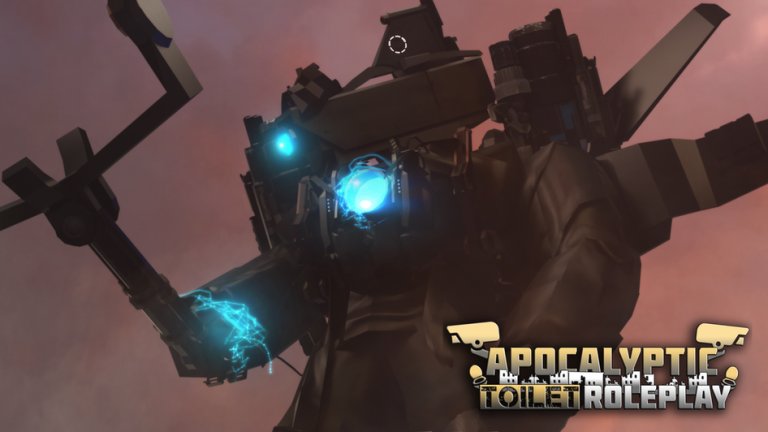
Jeffrey (often styled Jeffery / Jeffrey TV Man in showcases) is one of the most requested admin-style insert morphs in Apocalyptic Titans Roleplay. Creators treat it as a limited insert: you load an asset ID with an insert command rather than unlocking a permanent free menu entry. This walkthrough covers the current community insert code, chat versus admin-bar input, why private servers matter, and what to expect from the kit. Always verify the code still works after patches by checking Updates and recent showcases.
Before you start
- Launch Apocalyptic Titans Roleplay.
- Create or join a private server. Community comments repeatedly note Jeffrey inserts are intended for private instances because the morph is highly destructive on public lobbies.
- Confirm chat works, or locate the admin / command bar if Roblox chat is restricted on your account.
- Optionally skim How to Morph so you understand how insert morphs differ from normal menu kits.
If you are brand new to ATRP, finish Getting Started first so ;fly and basic morph UI already feel familiar.
The insert code
Community guides and video descriptions share this insert ID for Jeffrey:
/insert 85362392571695
Some creators type a semicolon form such as ;insert 85362392571695 depending on which command parser their session accepts. If one prefix fails, try the other once—do not spam dozens of variants in chat. Copy the numeric ID carefully; mistyped digits fail silently.
Important caveats:
- Inserts can be removed or replaced when ATRP updates.
- Public-server success is inconsistent; private is the reliable path.
- The morph is an admin-style tool for showcases and private RP, not a required progression unlock.
Method A: Roblox chat
- Open chat in your private server.
- Paste
/insert 85362392571695(or the;insertform if that is what your session expects). - Send the message and wait a moment near your avatar.
- Jeffrey should appear or apply as the insert loads. Creators often stand in an open area so the model has room to spawn.
- Open the morph’s ability panel and test one ability at a time.
If nothing happens, confirm you are in a private server you own or that allows admin-style commands, recheck the ID, and try the admin bar method below.
Method B: Admin / command bar (no chat)
Some players—especially on accounts with chat limited—cannot send /insert through the normal chat box. Tutorial creators show an on-screen admin or command bar (often near the bottom of the HUD). Open that bar, type insert plus the numeric ID 85362392571695, and submit. The effect matches the chat method when permissions allow.
Mobile players should look for the same bar or enable chat if Roblox settings permit. Without either input path, inserts cannot run.
Private server checklist
- Use a free private server from the place page when possible.
- Invite only friends who expect a high-power morph demo.
- Do not drop Jeffrey into a quiet public RP circle without consent.
- Record showcases in private for clean footage, then share clips externally.
- After testing, remorph to a free canon titan before rejoining public lobbies.
This etiquette keeps you aligned with how DigitizedPixels, TarJaw, and other showcase channels present the insert: powerful, temporary, and private-first.
What Jeffrey can do (showcase overview)
Exact ability names can shift, but public showcases highlight a flashy TV Man–style kit with tools such as vanish / appear toggles, fire modes, shrink and grow, and claw or tentacle loadouts. Treat these as cinematic toys. In private RP you can stage boss entrances, corruption beats, or oversized comedy bits. In public lobbies the same kit can grief scenes—another reason private servers are the default recommendation.
Combine Jeffrey with ;fly from Controls and Commands to frame camera angles. Landing for grounded claws or blasts often reads better on video than constant flight spam.
Troubleshooting
Code does nothing: Confirm private server, exact ID, and chat vs admin bar. Wait a few seconds after sending. Works for friends but not you: Permission differences or chat filters; try the command bar. Morph vanished next day: Inserts are often update-bound. Recheck community posts and Updates. Game feels laggy: Jeffrey is a heavy model—lower graphics or clear other large morphs nearby. Worried about bans: Using the published insert in private for RP is normal community practice; griefing public lobbies or inappropriate RP is what risks permanent bans per the game rules.
How Jeffrey fits the wider roster
Jeffrey sits beside menu titans like UTTV, UTCM, UTSM, Astro variants, G-Man 5.0, Astro Detainer, and Executor as a special-case power fantasy. It does not replace learning free Alliance kits. Use Jeffrey for set-piece moments; use canon morphs for everyday RP. Compare Alliance kits on Alliance Titans and infection-themed kits on Astro Faction.
If you prefer permanent menu progression over inserts, invest time in Astro Morphs instead. Infection paths teach longer-term unlock habits that survive insert rotations.
Safe content workflow for creators
- Private server + insert code.
- Test abilities once off-camera.
- Film a short showcase with clear lighting.
- Remorph to a free titan and capture a “normal lobby” clip if needed.
- Publish with the insert ID in your description so viewers do not spam public chats asking for codes.
- Link viewers to Guides and Players so they learn etiquette, not just the ID.
Related wiki pages
Jeffrey is a highlight reel morph, not the whole game. Learn the insert, keep it private-first, and return to free canon titans for lasting roleplay. When the ID eventually rotates after an update, the same chat-versus-admin-bar skills will transfer to the next insert the Apocalyptic RP Community ships.
Frequently Asked Questions
Quick answers for Apocalyptic Titans Roleplay players.
What is the Jeffrey insert code in ATRP?
Community guides use /insert 85362392571695 (some sessions accept ;insert with the same ID). Always recheck after updates because inserts can expire.
Does Jeffrey work on public servers?
Results vary, and creators strongly recommend private servers. Jeffrey is considered too destructive for casual public lobbies.
I cannot use chat. How do I insert Jeffrey?
Open the on-screen admin or command bar, type insert plus the numeric ID, and submit. Mobile players should look for the same bar or enable chat in Roblox settings.
Is Jeffrey a permanent morph?
It is an insert-style admin morph. Many inserts last until the next ATRP update rather than staying as free menu entries forever.
Will using the insert get me banned?
Using a published insert in private for roleplay is normal. Permanent bans target inappropriate RP and abuse, not private showcase testing.
What should I morph after testing Jeffrey?
Switch back to a free Alliance titan such as UTTV, UTCM, or UTSM before joining public servers, and continue learning Astro paths if you want longer progression.