Apocalyptic Titans Roleplay Controls and Commands
Movement, ability panels, ;fly, inserts, and combat flow for every morph.
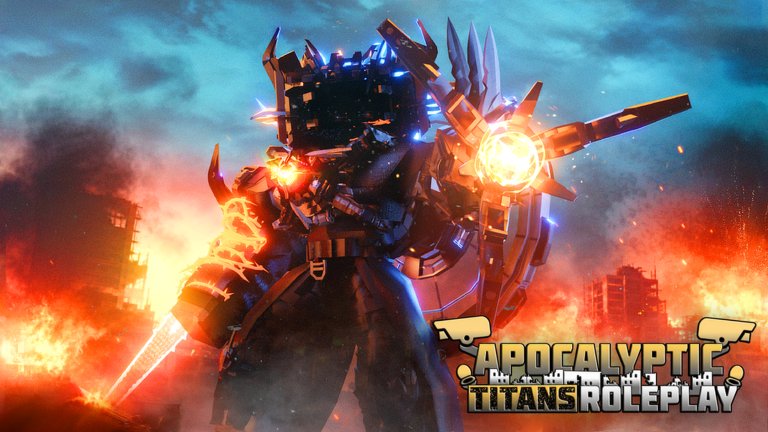
Apocalyptic Titans Roleplay plays like a morph stage more than a ranked fighter, but clean movement and command literacy still separate chaotic lobbies from readable scenes. This page covers default movement expectations, morph ability panels, the free ;fly command, chat inserts such as Jeffrey, and a practical combat combo overview. Use it beside How to Morph and Getting Started.
Core movement
On keyboard, expect standard Roblox locomotion: WASD to move, Space to jump, Shift for sprint when the morph supports it, and camera orbit with the mouse. Controllers and touch devices map to Roblox defaults plus on-screen buttons for jump and morph UI. Titan morphs change collision size and camera distance—back the camera out after morphing so you can see feet and attack tells.
Large morphs turn slower in tight alleys. Practice strafing in open plazas before bringing a full-size titan into a crowded RP sidewalk. If you clip into geometry, remorph or walk backward; forcing abilities while stuck often looks worse on camera than simply resetting position with flight.
Morph ability panels
Each major morph exposes a panel or hotbar of kit-specific skills. Typical slots include:
- Primary ranged blast or beam
- Melee swipe, stomp, or grab
- Defensive toggle (shield, vanish, mode swap)
- Mobility tool (dash, leap, or flight-assist)
- Utility or vanity (size change, emote-like toggles, alternate arms)
Open the panel immediately after morphing and read labels before mashing. One controlled ability demo teaches more than ten random presses. Alliance titans such as UTCM, UTSM, and UTTV emphasize readable combat tools; Astro variants add infection-flavored pressure; insert morphs like Jeffrey lean cinematic with grow, shrink, vanish, and claw kits.
When a patch reworks a morph, re-open the panel even if you “already know” the kit. ATRP updates frequently enough that muscle memory goes stale. Track patch notes via Updates.
Free fly: ;fly
The official place description documents free flight: type ;fly in chat. Flight is the primary traversal tool for titan-scale maps and the fastest way to set camera angles for screenshots or videos. Workflow tips:
- Morph into your chosen titan.
- Type
;flyand climb above the skyline. - Reposition, then cancel or retoggle as your UI allows when you need grounded animations.
- Use flight to exit soft-locks in geometry instead of spamming jump.
If chat is unavailable, check for an admin or command bar similar to the one used for inserts. Without some command input path, you lose both fly and insert tools. Privacy settings on Roblox accounts are a common reason beginners think fly is “broken.”
Flight is free—no gamepass required—so every player can scout the map on day one. Combine it with private servers when practicing destructive abilities so you do not flatten someone else’s scene.
Chat commands and inserts
Beyond ;fly, ATRP communities rely on insert-style commands for temporary admin morphs. The widely shared Jeffrey example is:
/insert 85362392571695
Some sessions accept ;insert with the same numeric ID. Full steps, chat vs admin bar, and private-server rules are documented on Jeffrey Morph. Treat inserts as privileged tools: private first, public only when the lobby agrees.
General command hygiene:
- Copy IDs exactly; do not invent digits
- Prefer private servers for experimental commands
- Do not flood chat with failed variants
- Remorph to a free canon kit before returning to public RP
- Recheck Updates when an insert suddenly stops working
Scripts on this wiki cover third-party tooling discussions separately. Anything that violates Roblox Terms of Service is on you—prefer official chat commands and menu morphs whenever possible.
Combat combo overview
ATRP combat is roleplay-friendly rather than tournament-strict, but combos still help scenes read clearly:
- Open with mobility — dash or fly into framing distance so both titans are on screen.
- Apply a ranged poke — beams or projectiles establish threat without instantly ending the beat.
- Close with melee — stomps, claws, or smashes sell impact when the partner is ready to react.
- Defend or vanish — toggles create breathing room for dialogue.
- Finisher or infection beat — save ultimate-looking skills for agreed climax moments.
Consent matters. Mild violence is allowed by the maturity rating, but forcing long kill cams or infection scenes on unwilling players breaks etiquette and can earn reports. Ask in chat before turning a hangout into a duel.
Astro kits often add infection flavor to this loop—pressure, corrupt, upgrade—while Alliance kits emphasize coordinated defense. Study kits on Alliance Titans and Astro Faction, then practice the infection path on Astro Morphs.
Device-specific notes
PC: Best for precise camera work and fast chat commands. Bind chat to a comfortable key and keep the morph panel visible. Console: Rely more on on-screen prompts; friend a PC player if you need complex inserts typed quickly. Mobile: Enable chat if allowed, or learn the admin bar. Lower graphics help heavy titans. Use private servers for insert tests to reduce lag.
Practice routine (15 minutes)
- Join a private server.
- Morph UTCM or UTSM.
- Toggle
;fly, scout, land. - Fire each ability once; note cooldowns and animations.
- Run a three-step combo: ranged → melee → defensive toggle.
- Optionally test an insert morph, then remorph to a free titan.
- Rejoin a public lobby only when you can move without accidental grief.
Repeat with an Astro morph after you finish the infection guide so both factions feel controllable.
Common mistakes
- Holding flight during every melee animation (reads floaty on video)
- Ignoring camera distance on giant morphs
- Spamming inserts in public chat
- Assuming gamepass customs are required for basic movement (they are not)
- Skipping etiquette before “comboing” strangers
Related links
Command literacy in ATRP is short: move well, learn each panel, type ;fly, reserve inserts for private workshops, and combo with consent. Master those habits and every new morph—Alliance, Astro, Toilet, or admin insert—becomes another costume you can actually perform with instead of a button you mash once and abandon.
Frequently Asked Questions
Quick answers for Apocalyptic Titans Roleplay players.
How do I fly in Apocalyptic Titans Roleplay?
Type ;fly in chat. If chat is blocked, use the on-screen admin or command bar when available.
Do I need a gamepass for basic controls?
No. Movement, free canon morphs, and ;fly work without purchases. Gamepasses unlock certain custom morphs on public servers.
Where do ability buttons appear?
Each morph has its own ability panel or hotbar. Open it right after morphing and test skills one at a time.
What chat commands should beginners know?
Start with ;fly. Learn insert commands such as /insert 85362392571695 only when you are ready to test Jeffrey in a private server.
How should I practice combat combos?
Use a private server, open with mobility, add a ranged poke, close with melee, then a defensive toggle. Ask partners before turning public hangouts into fights.
Why do my commands fail on mobile?
Chat may be disabled or hard to open. Enable chat in Roblox settings or use the admin command bar shown in insert tutorials.